AI Coding Agents
The same first-class visibility into application logs, traces and metrics that developers access through the Seq UI is also available to agentic tools (through seqcli) to help them diagnose issues, produce solutions and verify results.
AI Coding Agents use Seq to understand what has happened, then use application source code to determine why it happened.
flowchart LR
    classDef plain fill:none,stroke:none
    seq@{ img: "/assets/seq-logo.$theme.svg", w: 112, h: 60, constraint: "on" }
    class seq plain

    application[Application] -- sends telemetry --> seq
    application -. built from .- source[Source code]

    agent[AI agent] --> seqcli -- queries --> seq
    seq -- alerts --> agent
    agent -- reads --> source
Connecting an AI coding agent to Seq is done via the Seq command-line interface (seqcli) and the Seq MCP server (also in seqcli).
Before attempting to use an AI coding agent with Seq install seqcli. Specify a server URL and API key using one of the following options:
- Setting config variables via
seqcli config. - Setting config variables via environment variables (
SEQCLI_CONNECTION_SERVERURLandSEQCLI_CONNECTION_APIKEY). - Creating a connection profile.
How AI Coding Agents Work With Seq
seqcli provides a set of agent skills, and an MCP server for working with Seq. AI coding agents may connect to Seq via the MCP server or directly using seqcli.
Once seqcli is installed and configured, install the Seq agent skills:
seqcli skills install [--agent <AI coding agent>] [--global]
To use with Claude Code specify claude as the AI coding agent. Most other agents will work with the default.
Connect an AI Coding Agent to Seq via seqcli
AI coding agents will automatically discover the Seq skills and load them as needed.
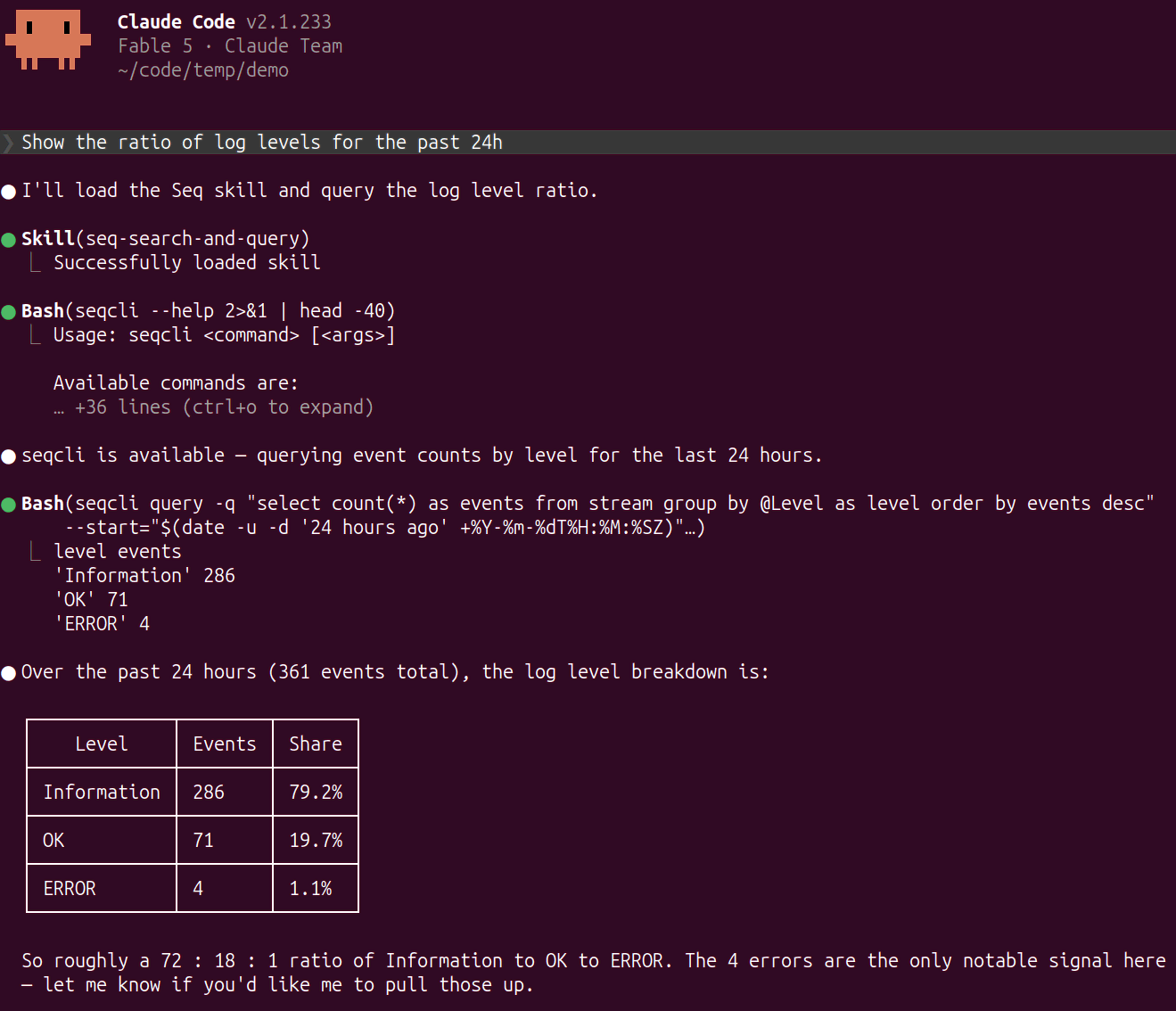
The following Claude Code session detects that it should load the seq-search-and-query skill for the prompt "Show the ratio of log levels for the past 24h". It then uses the seqcli query command to produce a response.
Connect an AI Coding Agent to Seq via the Seq MCP server
Install the Seq MCP server with:
seqcli mcp install [--agent <AI coding agent>] [--global]
To use with Claude Code specify claude as the AI coding agent. Most other agents will work with the default.
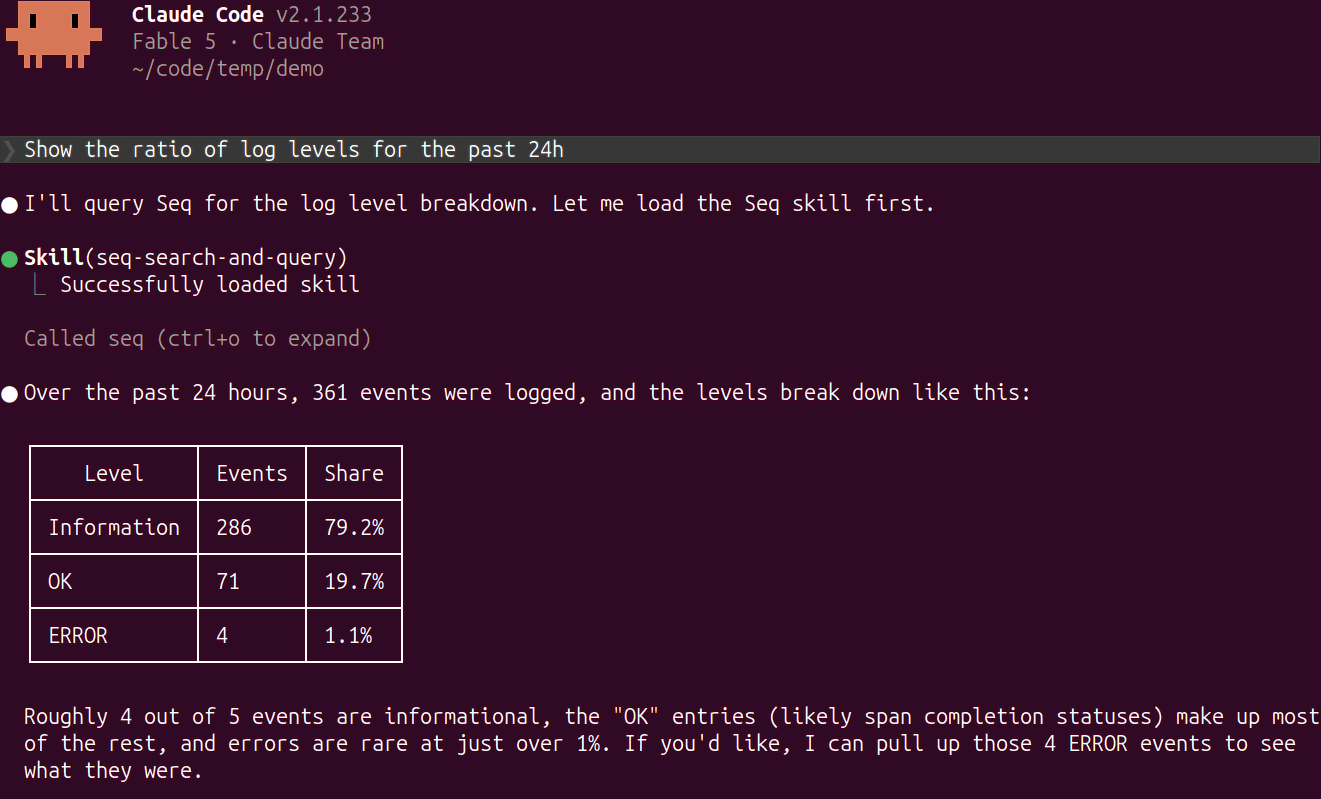
The following Claude Code session detects that it can use the 'Evaluate a query over Logs, Spans, or Metric Samples' tool from the Seq MCP server to process the prompt "Show the ratio of log levels for the past 24h".
The Seq Skills
The Seq skills teach AI coding agents how to interact with Seq. The installed skills are:
| Name | Description |
|---|---|
| building-seq-plugin-apps | How to create a new Seq app. |
| seq-search-and-query | How to search and analyze logs and traces. |
| working-with-seq-metrics | How to search and analyze metrics. |
Each skill is a Markdown file installed in the project directory or globally for the current user.
The Seq MCP Server
The Seq MCP server exposes operations intended to be used by AI coding agents.
If the AI coding agent chooses to use the Seq MCP server it spawns an instance as a sub-process and communicates with that process via standard input/output (STDIO) pipes. The MCP server uses the seqcli configured credentials to authenticate with the Seq server. For more precise control of the Seq server to connect to and the credentials to use seqcli profiles and install the MCP server for the chosen profile (with the --profile flag).
The Seq + AI Coding Agent Diagnostic Workflow
- Navigate to a directory containing application source code.
- Start an AI coding agent (Claude Code, Codex, Cursor, Aider, OpenCode, etc.).
- Ask the agent to investigate some aspect of the system's behavior.
- The AI coding agent will make requests to Seq, find the relevant telemetry data, then inspect the source code to determine the cause.
- Optionally, prompt the AI coding agent to implement changes.